Add an Addon Domain in GoDaddy with Web Hosting Deluxe (Step-by-Step Guide).
If you are using GoDaddy Web Hosting Deluxe, you might notice that there is no “Addon Domain” option under the Domains section in your hosting dashboard.
This can be confusing if you have a domain registered with another registrar and want to host it on your GoDaddy Deluxe plan as an addon domain.
In this guide, I’ll walk you through exactly how to add an addon domain in GoDaddy using cPanel, even if your domain is registered elsewhere. Follow these steps carefully to avoid common mistakes.
Why Add an Addon Domain in GoDaddy?
An addon domain allows you to host multiple websites on the same hosting account.
This means you can use your Web Hosting Deluxe plan to manage different websites under separate domains — each with its own files and directories.
Step-by-Step: Adding an Addon Domain in GoDaddy Web Hosting Deluxe
1. Log in to Your GoDaddy Account
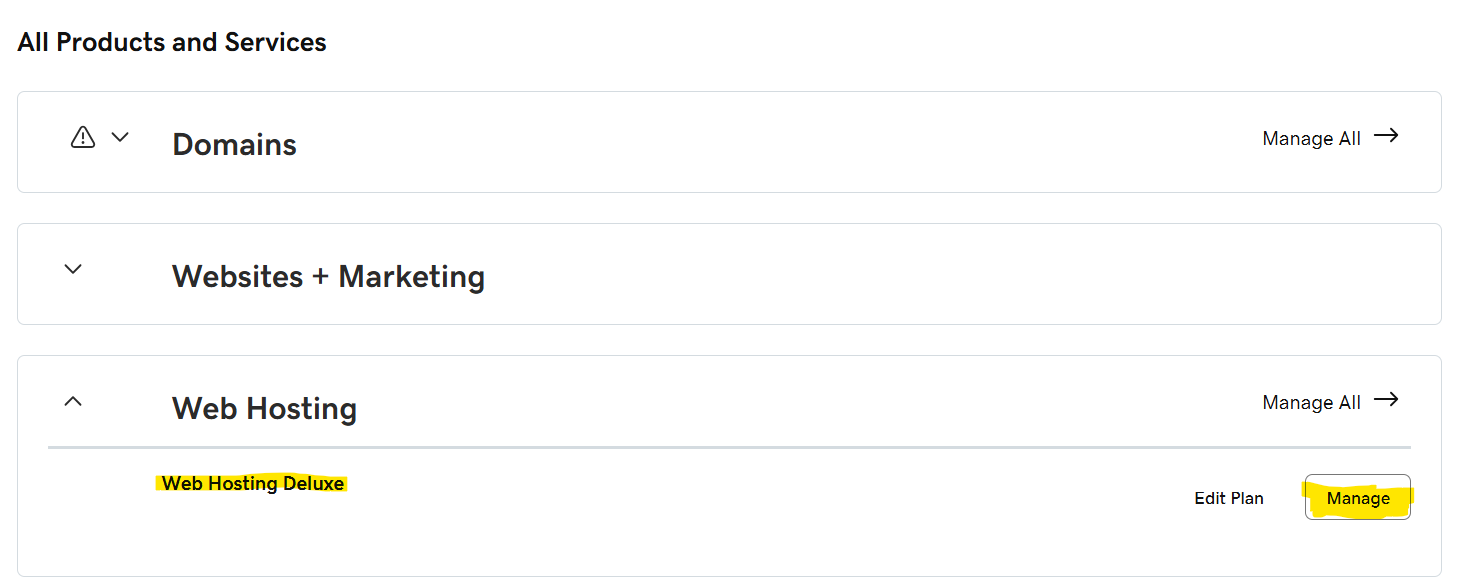
2. Open Your Hosting Management
3. Access cPanel
4. Go to the Domains Section
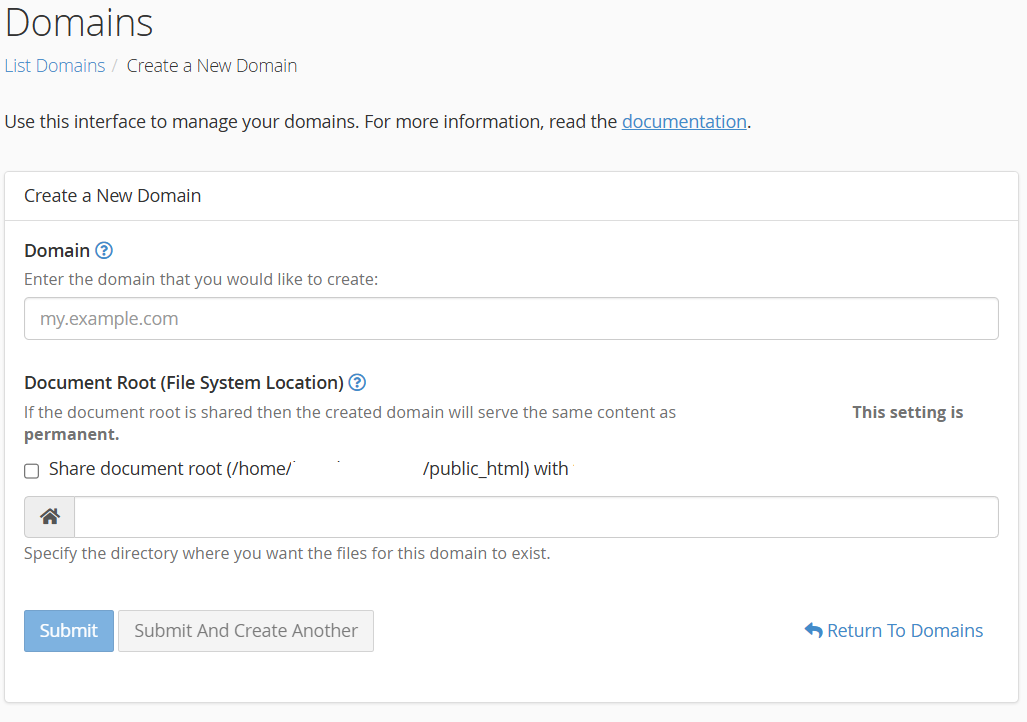
5. Add the Addon Domain
Note: You can also create subdomains from this page.
6. Update Nameservers for External Domains
If your domain is registered with another registrar, you’ll need to point its nameservers to GoDaddy.
7. Upload Your Website Files
Troubleshooting Tips
Adding an addon domain in GoDaddy Web Hosting Deluxe is simple once you know where to look in cPanel.
Even though the “Addon Domain” option isn’t visible in the default dashboard, you can still manage multiple websites easily through cPanel → Domains → Create A New Domain.
By following the above steps, you’ll have your new domain hosted on GoDaddy in no time. If you face any issues during setup, feel free to leave a comment below — I’m happy to help.
Choosing the right ecommerce platform can make or break your online business. But is Shopify…
Most "AI agent" content online is still stuck at the demo stage — a slick…
If you've been using Claude Code as little more than a fancy autocomplete — typing…
When building real-world Laravel applications, email handling quickly becomes scattered. You send emails from controllers,…
Build flexible, readable, and secure query filters across multiple Laravel models — no more bloated…
Artificial Intelligence is transforming how we work, create, and earn. But most people get stuck…